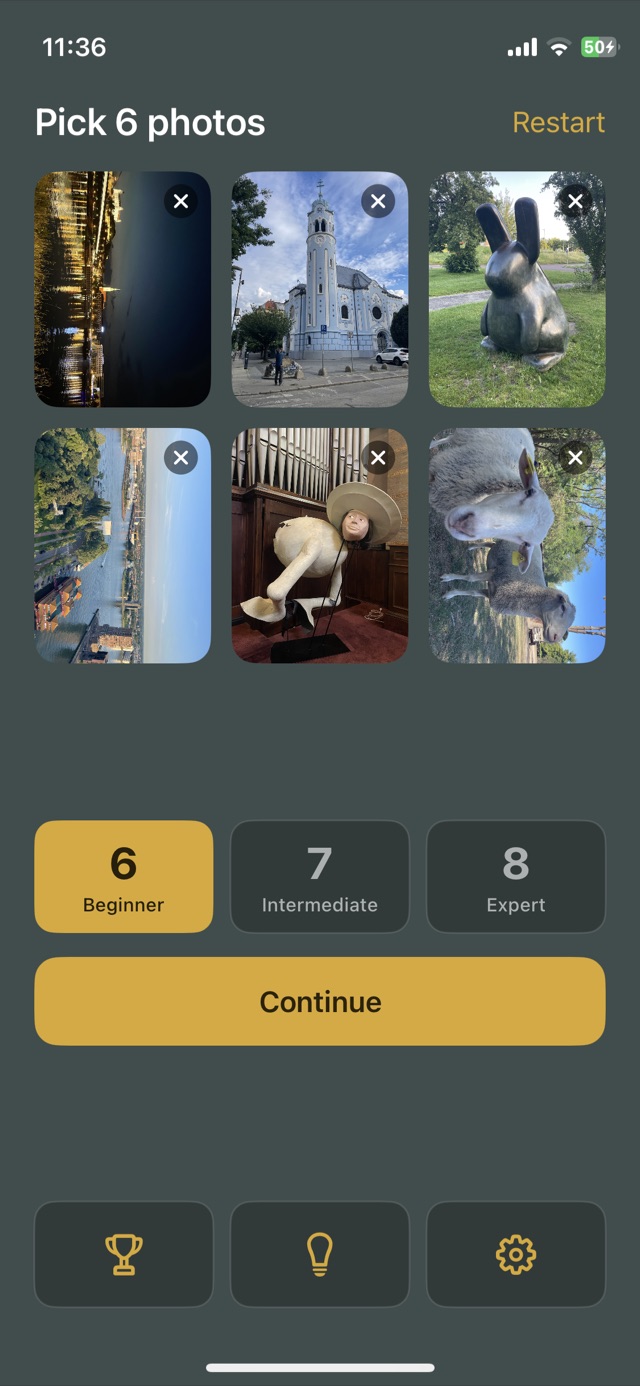
Your own photos make the difference. A puzzle cut from a stock picture tests your eyes; one cut from last summer tests what you remember of it — which side the tower stood on, where the water met the sky. And because the photos are yours, no two games are ever the same.
How to play
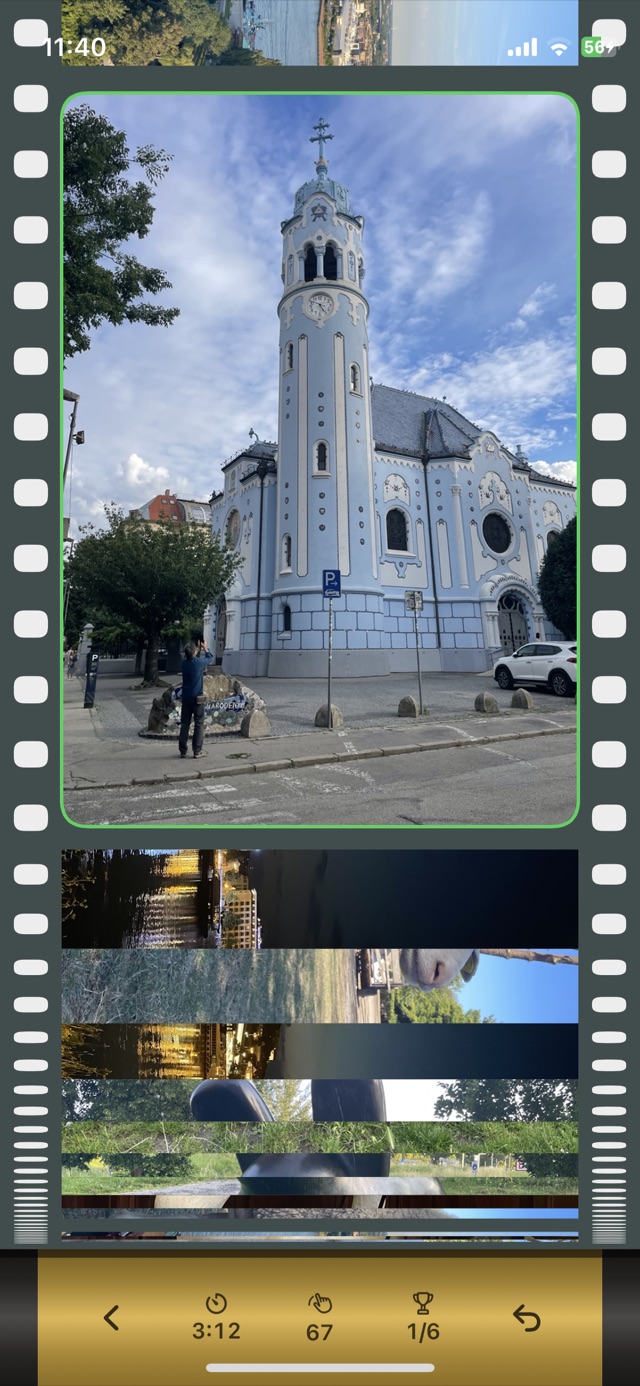
Pick six photos. PhotoTape cuts each into slices, shuffles them along a roll of film and hands you the roll.
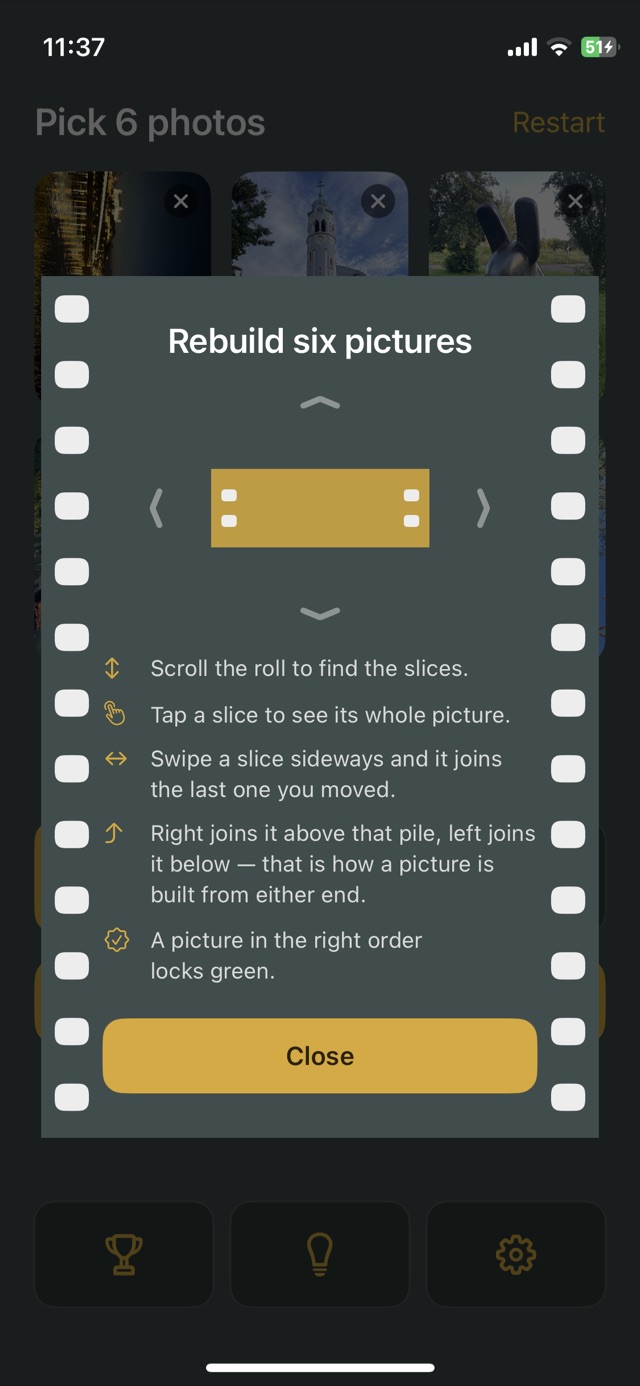
- Scroll the roll to find the slices.
- Tap a slice to see its whole picture.
- Swipe a slice sideways and it joins the last one you moved.
- Swipe right to join it above that pile, left to join it below. That is how a picture is built from either end.
- A picture in the right order locks green. Lock all six and the clock stops.
Choose the cut
Beginner cuts each picture into 6 slices, Intermediate into 7, Expert into 8. Fewer slices means a shorter roll and a taller band of picture on every slice, so a piece is easier to recognise before you have moved it anywhere. More slices means more roll to remember.
Leave a game half done and it is waiting when you come back.
Records and leaderboards
Every game is timed and every swipe counted. Records keeps two lists, fastest and fewest moves, with both numbers on every row, because a slow careful game and a quick wasteful one are different achievements. Open Records and sign in to Game Center on iOS, or Play Games on Android, to see where you stand against everyone else, on a separate leaderboard for each level.
Your photos stay on your device
- PhotoTape never asks for access to your photo library. The system picker runs outside the app, and the app receives only the pictures you hand it.
- Those pictures are copied into the app and never leave the device. Delete the app and the copies go with it; your library is untouched.
- No account, no ads, no tracking, nothing collected. The only thing that ever leaves is a score to Game Center or Play Games, and only once you open Records.
Made for everyone
- Works with VoiceOver and TalkBack, and the type follows your system text size.
- Honours Reduce Motion.
- Haptics and sound can each be switched off. On iPhone, sound respects Silent mode; on Android it follows the media volume.
- Choose the film stock the roll is printed on.
- iPhone, iPad and Android phones.
Questions
Why was one of my photos skipped? It was square. A square cannot be cut into film frames without losing most of it, so PhotoTape asks for another rather than cropping it behind your back.
Why do landscape photos look sideways? They are turned to fill the frame, because that is what film does with a landscape shot. It is deliberate, and it makes for a harder puzzle.
I feel the haptics but hear no sound. On iPhone, sound respects Silent mode and haptics do not: turn Silent mode off. On Android, sound follows the media volume: turn it up. Then check Settings → Feedback → Sound in the app.
Where are my records? On your device, in the app. They never leave it unless you open Records and sign in to Game Center or Play Games, which takes your best up to the leaderboards.
Something else? Send a message below, whether it is a bug, a question or an idea.